Turn your ideas into AI-powered videos
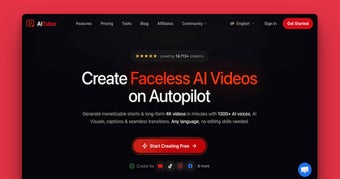
AITuber is an AI video generator that transforms your ideas or prompts into videos. It can produce various types of content, such as faceless shorts, full-length videos, and music videos. Its goal is to make video creation easier by using AI to handle most of the work for you.
One of AITuber’s best features is Autopilot, which allows you to set a schedule for creating and publishing new videos automatically. This makes it suitable for content creators who want to manage their channels without recording themselves or learning complicated editing software just to produce videos regularly.
Fast and easy video production
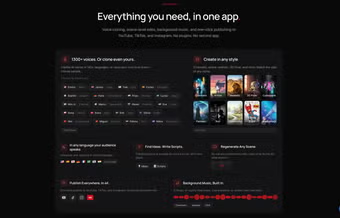
AITuber makes it easier for content creators to produce videos. For many, consistently making videos can be challenging when you have to do everything yourself. From researching topics and writing scripts, to recording voiceovers, and editing footage. That’s where this software comes in. It can take your idea and turn it into a finished video, complete with AI-generated scripts, visuals, voiceovers, captions, music, and transitions.
It can take care of tasks that are considered time-consuming when editing videos by hand, like generating captions and syncing them perfectly with the narration. You can also add background music from the platform's music library or upload your own tracks. Voiceover is another neat feature. The platform offers a wide variety of AI voices in over 140 languages and different speaking styles.
Although the AI is pretty good at creating videos based on what you want, you'll still need to review and edit out some mistakes. Another thing to keep in mind is that you have less manual control compared to using a traditional video editor. Additionally, the visuals and narration can sometimes not match the editor’s expectations, making it not ideal for cinematic projects or professional-level productions.
A must-have for content creators
Overall, AITuber is an excellent choice for content creators who want to produce videos without dealing with the usual combination of scripting, voice recording, visual sourcing, and editing. With the Autopilot feature, automation is taken to the next level by managing scheduled content creation and publishing. It’s really helpful for beginners, as it saves a lot of time and effort.